For credentialing administrators and provider-enrollment staff, Individual vs Organization NPI: Understanding Type 1 and Type 2 Records is easiest to manage when the administrative record mirrors the real decision. Start with the governing record, separate requirements that are often confused with each other, and do not close the task until the verified outcome can be verified.
Operations case: individual versus organization NPI
A provider updates an address in CAQH and assumes every payer and Medicare now has the new location. In this situation, identify which system controls each record, update the authoritative source, and then complete any separate payer or PECOS change transaction that is required.
An NPI is an identifier, not an approval for this scenario
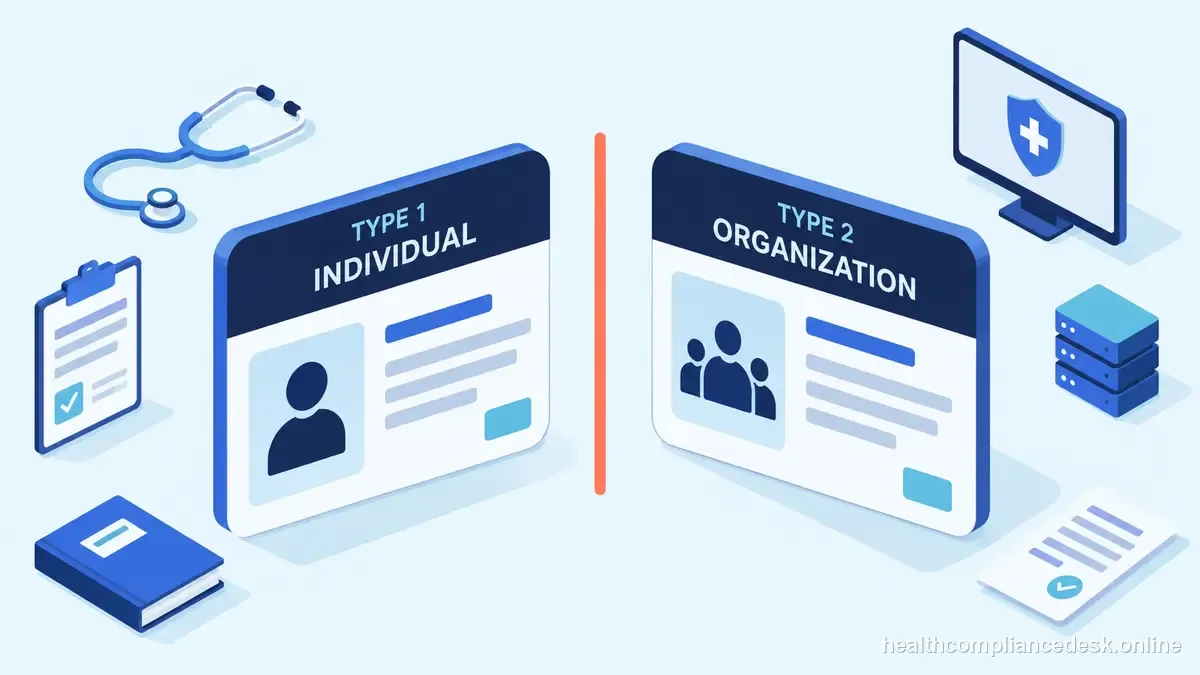
Type 1 NPIs identify individual healthcare providers; Type 2 NPIs identify organizations and certain subparts. Practices often need to understand how both appear in billing relationships. For the individual organization npi file, cAQH is a shared provider-data source used by participating plans, not a universal payer-enrollment approval. For this individual organization npi issue, updating and attesting CAQH can be necessary for credentialing while the payer still requires a separate application, contract, roster, or effective-date confirmation.
| Type 1 NPI | Type 2 NPI | |
|---|---|---|
| Identifies | An individual healthcare provider | An organization or certain subparts |
| Used in relationships | Individual provider record | Organization record in billing relationships |
| Review separately | Provider identity and applicable group link | Organization identity and applicable group link |
choose the right record type
In a individual organization npi review, identify the individual provider and organization separately, then capture the Type 1 or Type 2 NPI, legal name, tax identity, practice locations, licenses, taxonomy, ownership or authorized-official information, and group relationships relevant to the transaction. For this individual organization npi issue, the enrollment file should make it obvious which record belongs to which entity.
Prepare NPPES data before editing
For the individual organization npi file, for data changes, update the authoritative identity or program record first when appropriate, then complete downstream payer updates. For the individual organization npi file, a change in NPPES or CAQH does not automatically propagate to every payer or Medicare record.
Taxonomy and address changes ripple downstream before the next step
A filed application may still be incomplete because of a development request, missing supporting document, signature issue, or inconsistent organizational data. In a individual organization npi review, track the requested correction and deadline instead of leaving the overall task as simply “pending.”
Reconcile NPPES with enrollment systems in the working file
For the individual organization npi file, track submitted, development requested, response sent, approved, effective, and closed as separate statuses. For this individual organization npi issue, attach an owner and next-action date to every open application so payer or MAC requests do not disappear in email.
Keep the submission trail
For the individual organization npi file, a vendor status report is helpful operationally, but the practice should retain the portal, CMS/MAC, NPPES, CAQH, or payer evidence behind each reported milestone. That preserves control if the vendor relationship ends.
When a clinician bills through a group, retain separate identifiers and document the relationship rather than treating records as interchangeable.
Identity crosswalk
- Match the provider or organization name, NPI, tax data, taxonomy, license, location, and group relationship across the systems involved. - Decide which system controls each field before changing data merely to make screens look alike. - Keep individual and organization identifiers separate, especially when a clinician bills through a group. - Document any correction in the source system and the downstream applications that must be updated afterward. - Save a dated snapshot so later payer questions can be reconciled to what was on file at submission.
Example: resolving individual versus organization NPI
Begin with CMS — NPI, NPPES. In a individual organization npi review, re-check the current CMS, NPPES, CAQH, MAC, or payer instructions that control the transaction because enrollment systems and program procedures change. For this individual organization npi issue, internal trackers and vendor dashboards should point back to the authoritative status rather than replace it.
Application packet for individual versus organization NPI
For the individual organization npi file, assemble documents because they support fields in the transaction, not because they happen to be available. For this individual organization npi issue, reconcile legal names, NPI type, tax information, taxonomy, licenses, ownership, locations, and group relationships before submission. Type 1 NPIs identify individual healthcare providers; Type 2 NPIs identify organizations and certain subparts. Practices often need to understand how both appear in billing relationships. When handling individual organization npi, save the exact application snapshot and transaction identifier with any development requests and responses. For the individual organization npi file, that packet lets another administrator answer a payer question without rebuilding the application from memory.
Handoff plan for individual versus organization NPI
A clean handoff for Individual vs Organization NPI tells the next person which system controls the status, what has been submitted, what evidence is missing, who owns the next action, and which date matters to operations. Type 1 NPIs identify individual healthcare providers; Type 2 NPIs identify organizations and certain subparts. Practices often need to understand how both appear in billing relationships. For this individual organization npi issue, keep portal access under practice control and document authorized officials or delegates. For the individual organization npi file, vendor or employee turnover should not erase the only copy of a submission or leave the practice unable to respond to a development request.
Coordinate downstream updates after a individual versus organization NPI change
An address, ownership, license, malpractice, roster, or practice-location change can affect more than one system involved in Individual vs Organization NPI. Type 1 NPIs identify individual healthcare providers; Type 2 NPIs identify organizations and certain subparts. Practices often need to understand how both appear in billing relationships. For the individual organization npi file, create a change record listing every downstream destination rather than assuming one portal updates the others. In a individual organization npi review, keep the old and new values with the effective date. This is especially useful when a payer later shows a stale address or affiliation and the operations team must prove when the correction was made.
State rule note for individual versus organization NPI
For this individual organization npi issue, finish on the status that matters operationally: the correct identity record, accepted enrollment or payer action, documented recognized effective date, and evidence that downstream billing or roster work is ready. For this individual organization npi issue, “Submitted” or “credentialed” is not a substitute for that final state.
Authority stack for individual versus organization NPI
In a individual organization npi review, use CMS — NPI, NPPES for the part of the workflow each source actually controls. When handling individual organization npi, reconcile the NPPES record, NPI type, legal name, taxonomy, practice locations, and downstream payer or Medicare data that depends on it instead of treating a vendor tracker as the source of truth. When handling individual organization npi, for Medicare work, submission in PECOS is a milestone rather than final approval; for NPI work, enumeration is identity rather than credentialing; and for CAQH, an attested profile is data shared with participating plans rather than a universal payer approval.
What should be true before this file closes
In a individual organization npi review, an NPI is an identifier, not proof of licensure, credentialing, Medicare enrollment, or payer participation. Confirm the NPPES record, NPI type, legal name, taxonomy, practice locations, and downstream payer or Medicare data that depends on it, correct the authoritative NPPES record first when appropriate, and then reconcile downstream systems that avoid update automatically.