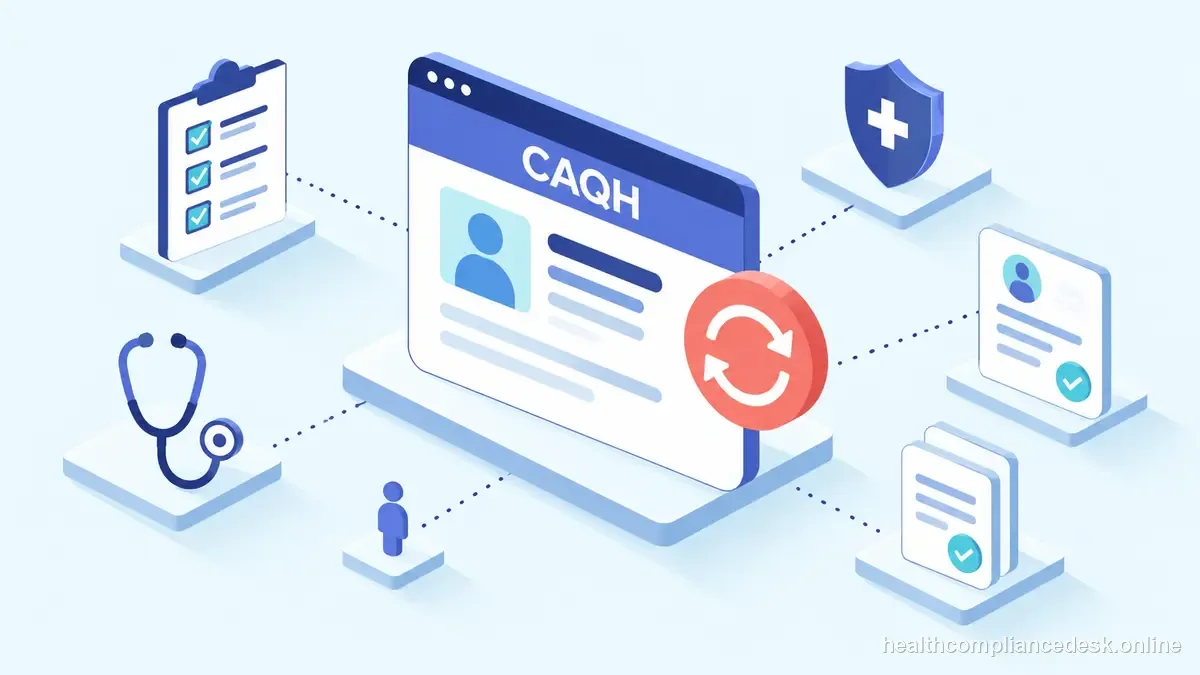
A reliable workflow for CAQH ProView: What It Is and Why Practices Maintain It begins before the portal. In a caqh proview review, practice administrators and provider-enrollment staff should identify the exact license, worker, provider, entity, or transaction at issue; confirm the controlling source; and only then decide what filing or follow-up is required.
Evidence and access governance before the next step
CAQH Provider Data Portal centralizes provider data used by participating health plans, but maintaining CAQH does not itself enroll a provider with every payer. For this caqh proview issue, for CAQH work, preserve attestation dates and the documents supporting key profile fields. For payer enrollment, keep the payer’s final status and participation effective date separately from CAQH or credentialing evidence so billing knows which date controls claims.
| CAQH profile | Payer enrollment | |
|---|---|---|
| Purpose | Shared provider data used by participating health plans | Payer-specific enrollment or participation action |
| Evidence | Profile fields and attestation date | Payer status and participation effective date |
| What completion means | Data attested for participating plans | The payer has separately completed its process |
Maintenance cadence for a live roster in the working file
For this caqh proview issue, track submitted, development requested, response sent, approved, effective, and closed as separate statuses. In a caqh proview review, attach an owner and next-action date to every open application so payer or MAC requests do not disappear in email.
What CAQH can—and cannot—complete
When handling caqh proview, medicare enrollment and Medicaid enrollment are not one workflow. When handling caqh proview, medicare uses CMS/PECOS and Medicare Administrative Contractors, while Medicaid enrollment is administered by states. For the caqh proview file, a practice should maintain separate checklists and source links.
Workflow example for CAQH Provider Data Portal
For the caqh proview file, an individual NPI is correct in NPPES, yet the group application contains a different taxonomy or service location. For the caqh proview file, this enrollment task becomes a reconciliation task across NPPES, PECOS, the payer file, and the practice’s source documents rather than another blind resubmission.
Treat the profile as shared infrastructure for this scenario
When handling caqh proview, before changing a payer or Medicare enrollment, compare the source documents with NPPES, PECOS where applicable, CAQH, and the payer’s existing record. When handling caqh proview, mark mismatches instead of copying one system into another without deciding which source is authoritative for that field.
attestation starts with data cleanup
Name the transaction before opening a portal. For the caqh proview file, gather the exact documents and data for that action, reconcile identifiers and addresses, submit through the controlling system, and record the tracking number. Monitor development requests or returned applications until the end-state record is issued.
Resolve mismatches across systems
In a caqh proview review, when several systems contain different values, decide which system controls the field before changing anything. For the caqh proview file, blindly making every system match the most convenient record can create a new error in the authoritative source. ## Effective-date handoff for this file Separate credentialing approval from enrollment approval and from the date the payer recognizes for participation or claims. If retroactive billing may be possible, document the payer or program rule instead of assuming it. Tell scheduling and billing which milestone has actually been reached and which remains open. Retain written effective-date evidence with the provider’s enrollment record. Review claims from any gap period before routine billing begins.
Decision to make on CAQH Provider Data Portal
Begin with CAQH — Provider Data Portal. For the caqh proview file, re-check the current CMS, NPPES, CAQH, MAC, or payer instructions that control the transaction because enrollment systems and program procedures change. For the caqh proview file, internal trackers and vendor dashboards should point back to the authoritative status rather than replace it.
The article distinguishes CAQH data from enrollment, contracting, roster loading, and payer effective date. Record the payer’s own status.
Status ladder for CAQH Provider Data Portal
For this caqh proview issue, replace one “pending” status with a short ladder such as submitted, development requested, response sent, approved, effective, and closed. CAQH Provider Data Portal centralizes provider data used by participating health plans, but maintaining CAQH does not itself enroll a provider with every payer. For this caqh proview issue, put an owner and next-action date beside every open milestone. A vendor report can summarize the work, but the operations team should retain the underlying CMS/MAC, NPPES, CAQH, or payer evidence so the record survives a vendor change and billing knows exactly what remains unresolved.
Reconcile the source systems
Make a field-by-field crosswalk before editing records. Compare NPPES, PECOS or the MAC record, CAQH where relevant, the payer application, licenses, tax documents, and the provider group’s own roster. CAQH Provider Data Portal centralizes provider data used by participating health plans, but maintaining CAQH does not itself enroll a provider with every payer. For this caqh proview issue, when values disagree, decide which system is authoritative for that field and correct the source first. When handling caqh proview, this avoids the common mistake of copying a stale payer value into a national identifier record merely to make two screens match.
Documents supporting the CAQH Provider Data Portal submission
When handling caqh proview, assemble documents because they support fields in the transaction, not because they happen to be available. For the caqh proview file, reconcile legal names, NPI type, tax information, taxonomy, licenses, ownership, locations, and group relationships before submission. CAQH Provider Data Portal centralizes provider data used by participating health plans, but maintaining CAQH does not itself enroll a provider with every payer. When handling caqh proview, save the exact application snapshot and transaction identifier with any development requests and responses. When handling caqh proview, that packet lets another administrator answer a payer question without rebuilding the application from memory.
Verification path for CAQH Provider Data Portal
Finish on the status that matters operationally: the correct identity record, accepted enrollment or payer action, documented activation date, and evidence that downstream billing or roster work is ready. When handling caqh proview, “Submitted” or “credentialed” is not a substitute for that final state.
Which official record controls CAQH Provider Data Portal
For the caqh proview file, use CAQH — Provider Data Portal for the part of the workflow each source actually controls. Reconcile the CAQH profile fields, source documents, attestation status, payer-facing data, and any conflicting NPPES or practice record instead of treating a vendor tracker as the source of truth. When handling caqh proview, for Medicare work, submission in PECOS is a milestone rather than final approval; for NPI work, enumeration is identity rather than credentialing; and for CAQH, an attested profile is data shared with participating plans rather than a universal payer approval.
Final control for CAQH Provider Data Portal
In a caqh proview review, keep CAQH in its proper role: a shared provider-data profile used by participating plans. Confirm the CAQH profile fields, source documents, attestation status, payer-facing data, and any conflicting NPPES or practice record, then log the payer’s own credentialing, enrollment, contract, roster, and effective-date milestones separately.